 4598
4598
 2017-07-18
Camera Timer allows you to take photo yourself or share with friends more easily.You can set a countdown before taking pictures at a time. This tutorial aims to introduce how to use camera timer on iPhone 7.
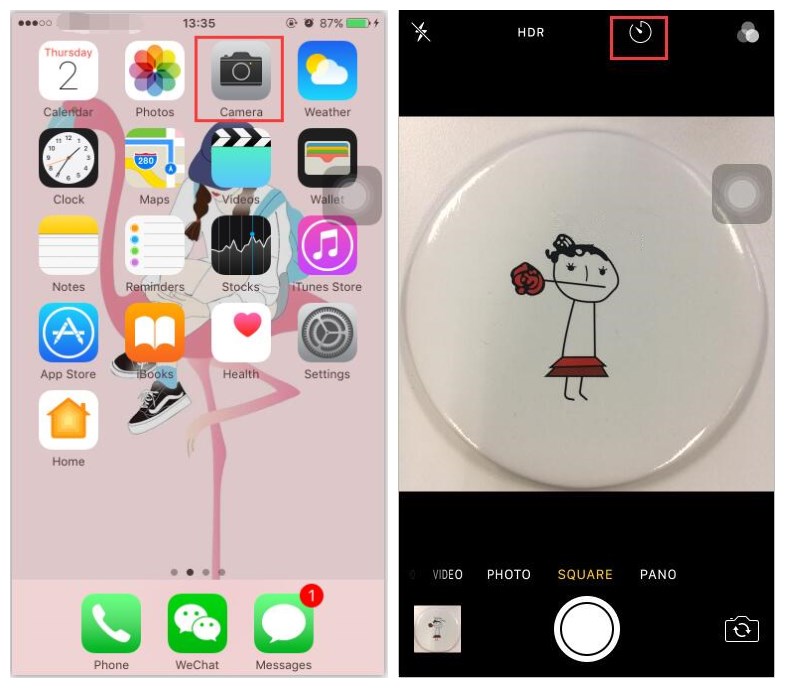
* Launch the default Camera app on your iPhone, and then click the Timer icon at the top.
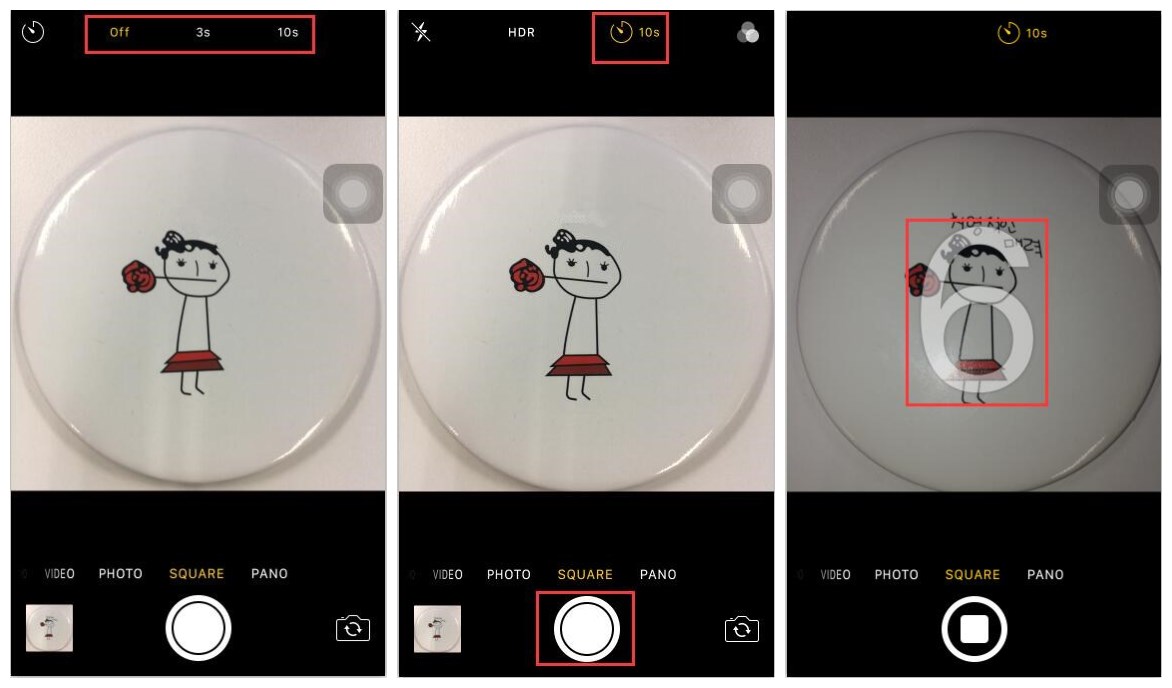
* You’ll see three text options appear on-screen: off, 3s and 10s. Choose the option you need and press the shutter. At this time, you’ll see a countdown on the screen. When it’s finished, it will start taking photos automatically.