
 110410
 2017-11-03
Problem description:
In the early stages, some 3uTools users reported that they can’t bind Apple ID using 3uTools. If you have turned iPhone’s two-factor authentication on, then you can’t bind Apple ID using 3uTools successfully.
Solution:
Step1: Download the latest 3uTools on PC. Connect iPhone to PC using the USB cable.
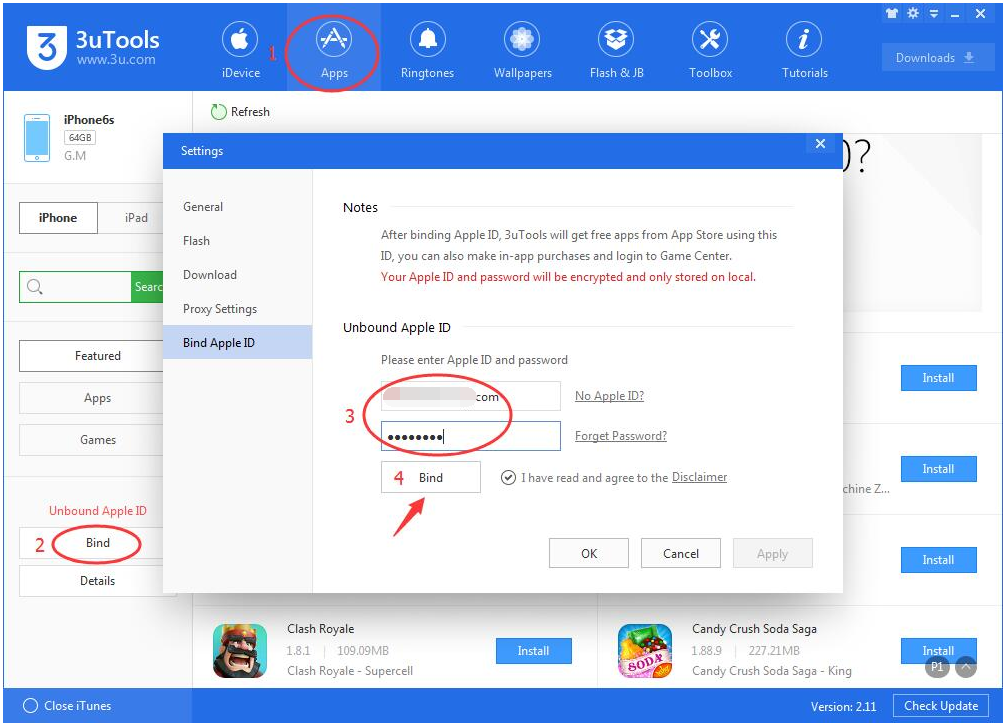
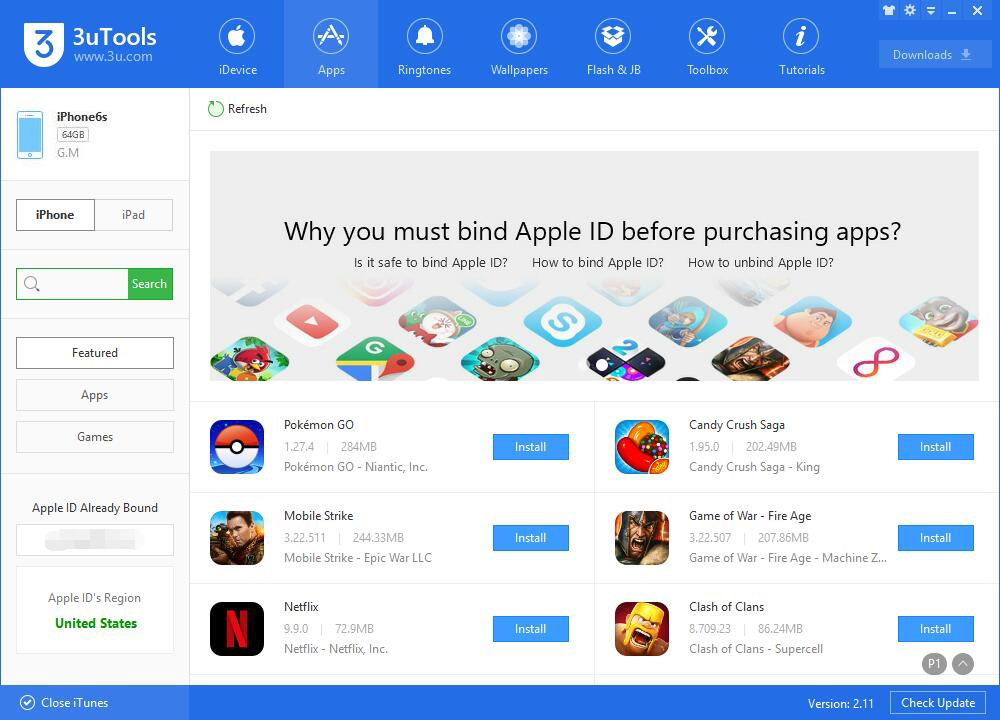
Step2: After it's connected, click Apps -> Bind -> enter Apple ID and Password -> Bind.
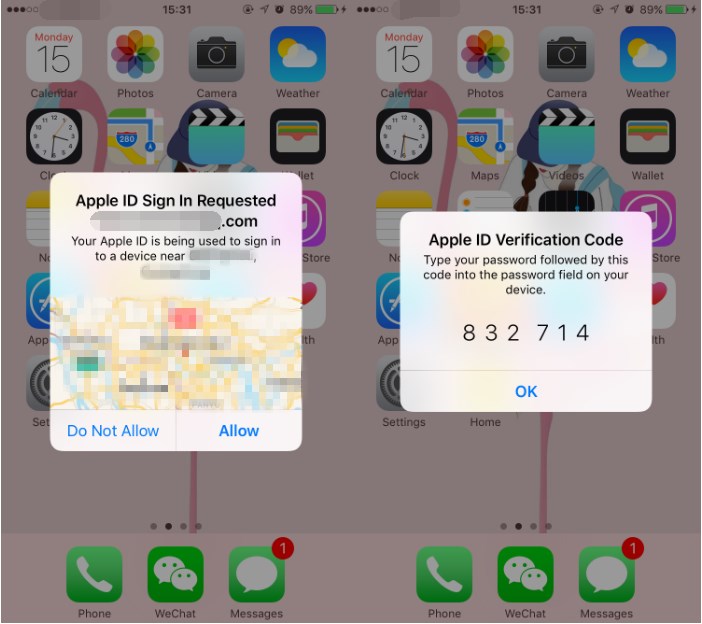
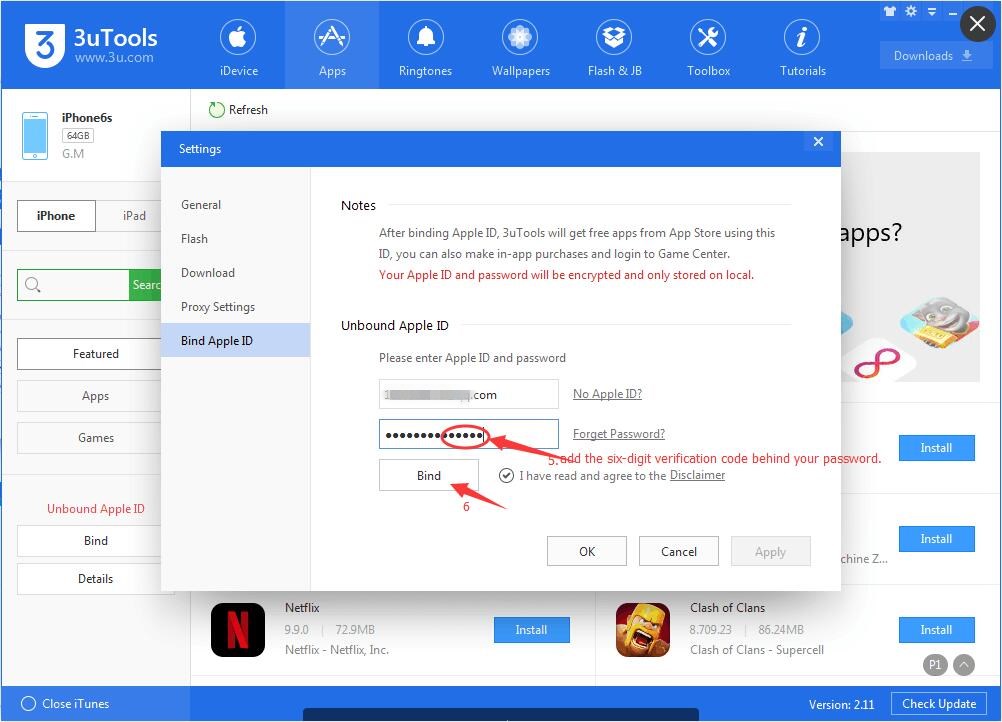
Step3: At this moment, your iPhone will give you the following reminder. Click Allow, and then you’ll get a six-digit verification code. You need to add this six-digit verification code behind your password and click Bind.
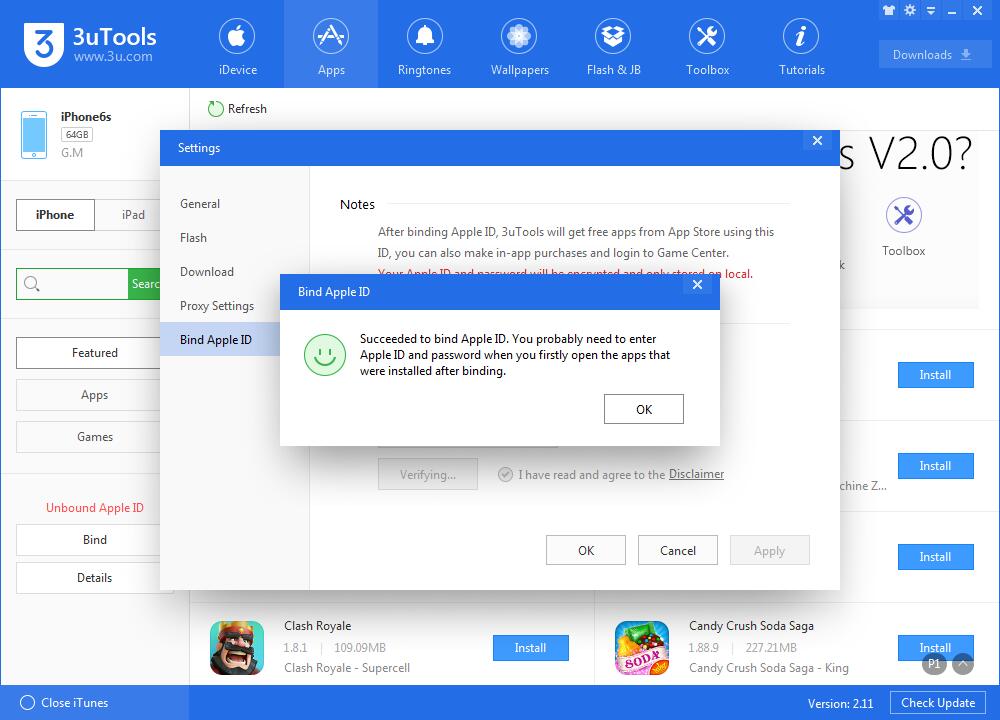
Step4: Now, you've succeeded to bind Apple ID to 3uTools.
This is a temporary solution, we'll fix it in a later verison.

