 6252
6252
 2017-07-11
Note:
If you change your payment method, make sure that your account information matches the credit card information on file with your financial institution.
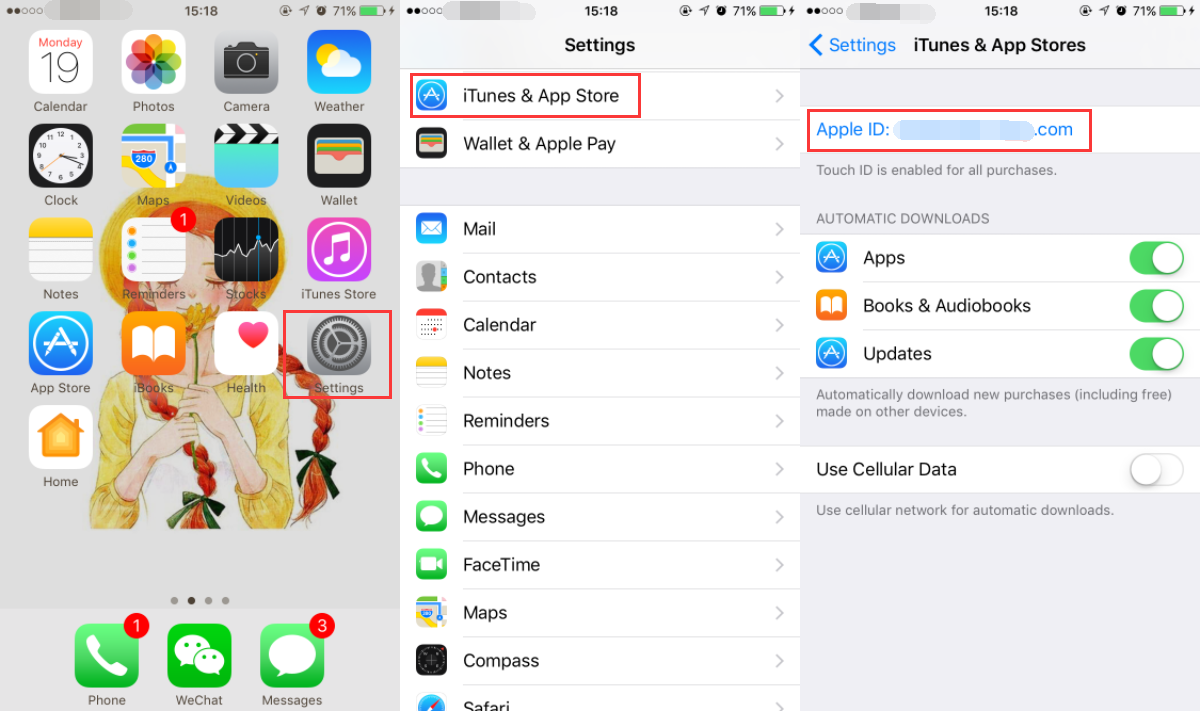
* Open Settings app on your iPhone -> find and click iTunes & App store -> click your Apple ID.
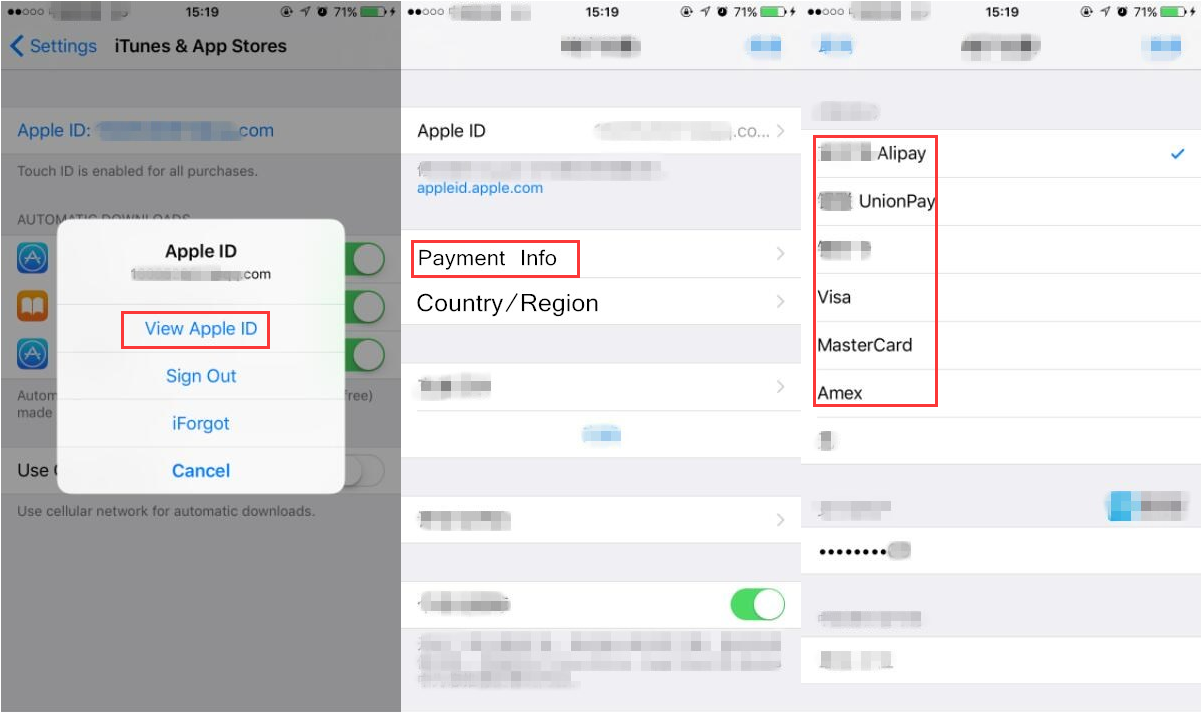
* Continue to click View Apple ID -> you need to unlock iPhone -> click Payment Information -> choose the payment method you want. If you want to remove your payment method, just select None. Remember to Save your operations.