 13147
13147
 2017-07-24
Removing Apple ID from your iDevice is very easy, just follow the guidance below.
A. Sign out Apple ID from Settings
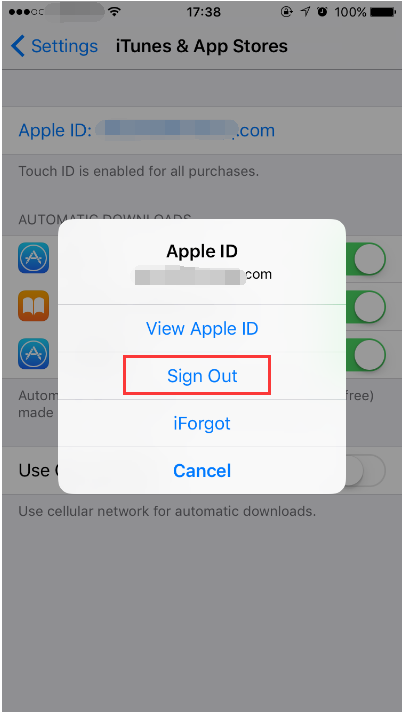
Go to Settings app, find and click iTunes & App Store -> click your Apple ID -> click Sign Out.
B. Sign out Apple ID from App Store
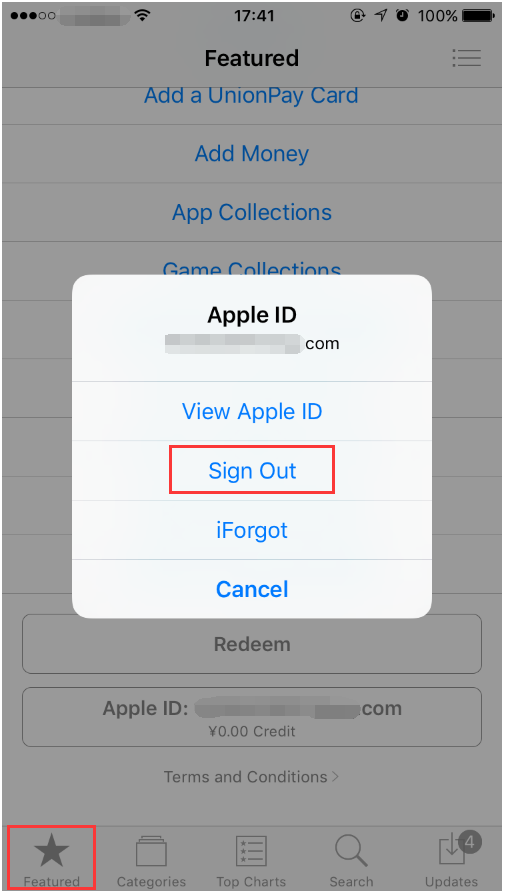
Run App Store of your iDevice, click Featured -> scroll down the page till you see your Apple ID. Click Apple ID -> click Sign Out.